Drowning in your to-do list?
Turn chaos into momentum with Kanban boards.
Time Stream's Kanban boards turn scattered tasks into a clear, visual workflow you can actually act on. See your work. Move it forward. Finish what matters.
Staying organized doesn't have to feel so hard.
To-do lists are great at capturing tasks.
They're not great at creating clarity:
- You can't see what is in progress.
- Everything feels urgent.
- Important work gets lost in the noise.
When everything looks the same, nothing feels manageable.
Kanban boards change the game.
Instead of a static list, you get a living system:
- Visualize your momentum.
- Limit work in progress.
- Prioritize with clarity and confidence.
Tasks stop being items you manage — and start becoming work that gets done.
Lists show tasks.
Kanban shows progress.
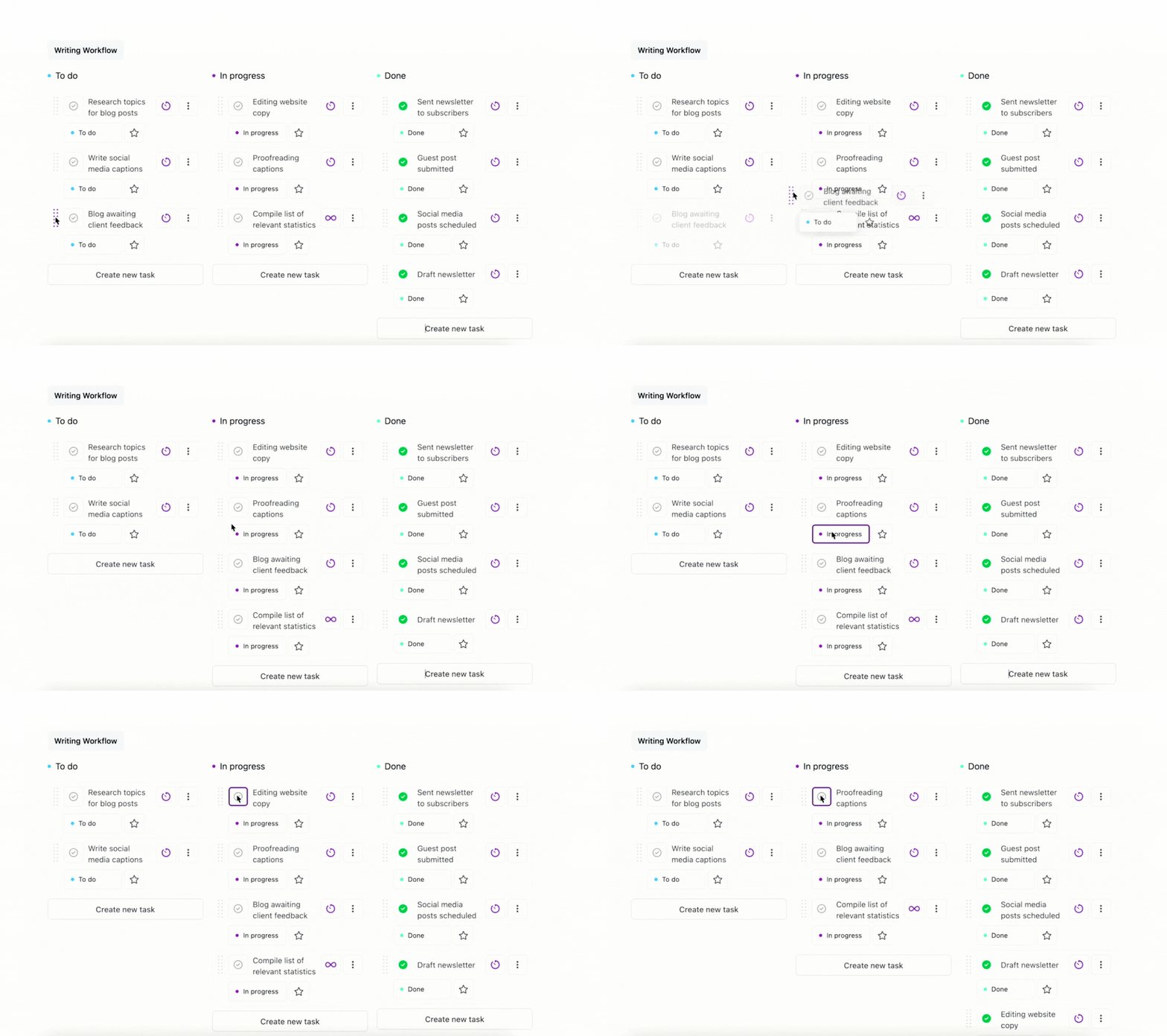
Kanban boards instantly show what's in progress, what's coming up, and what's done so you will finish more, before starting more.
- Progress becomes obvious:
- You can see it at a glance, that is powerful.
- Priorities become clearer:
- Create statuses that match how you work.
- Momentum builds:
- Visual grouping makes your workload easier to navigate and prevents overwhelm.
Your workflow.
Not ours.
We understand that task management isn't one-size-fits-all. Time Stream adapts to how you work.
- Tailored statuses:
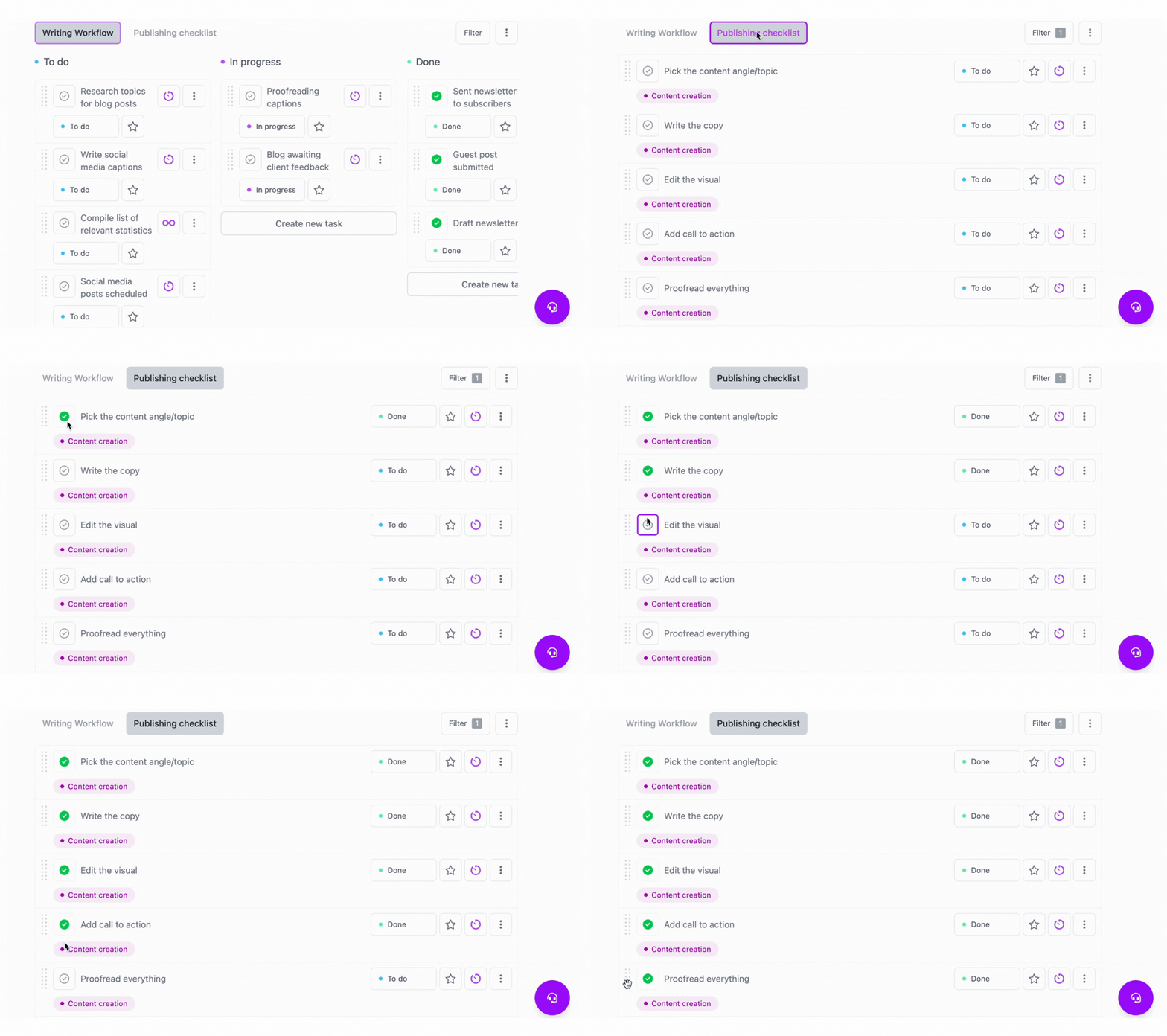
- Create custom statuses per project or area of life.
- Custom filters:
- Focus by collection, tag, or status.
- Flexible layouts:
- Switch between lists, grouped lists, and Kanban boards.
Less mental clutter.
More control.
When everything has a stage, nothing gets lost.
You always know:
- What's in progress
- What's next.
- What's complete.
No second-guessing.
No hidden tasks.
Less overwhelm.
Protect your time.
Protect your focus.
Time Stream wasn't built to hijack your attention.
It was built to protect it:
- Simple.
- Visual.
- Private.
Just clear workflow and real progress.
Find your flow with Kanban boards.Start using Time Stream today.
Flexible workflows for smarter task management
- Visual task flow with Kanban
Tasks move through customizable stages, letting you see what's pending, in progress, or done at a glance.
- Flexible organization
Switch between lists, grouped views, or Kanban boards, and use custom statuses and filters to match your workflow.
- Track progress easily
Visual grouping and dynamic stages make it simple to monitor progress, adjust priorities, and keep work flowing smoothly.
Find your flow.
Start using Time Stream today.
The only productivity app that protects your time and privacy. Focus better, accomplish more.